Hero Banner Subtitle
Hero Banner 7
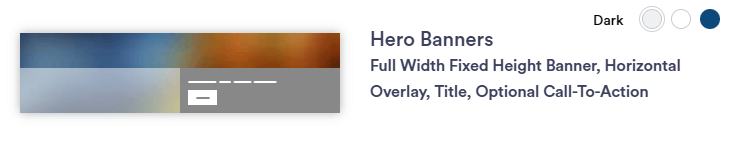
Hero Banner 7 section layout is an image area of the page between the navigation and the start of your content that utilizes high-quality, eye-catching images to grab user attention. In this section you can create a rotating banner when multiple images are selected with a horizontal overlay positioned at the bottom. Often includes concise text with a CTA button prompting users to take a specific action. This banner has the same features as Hero Banner 2; however, the banner is smaller in height on desktop and mobile devices.
Continue reading to explore the required and optional elements for this section. Scroll down to view samples of this section in Dark, Light, and Primary (blue) color options available in TWM
Required Elements
- Text Bar background color
- Justification = automatic
- Background Image (minimum size = 1920 x 1080px)
Optional
- CTA
- Title
- Subtitle
- Social Media Icons
Section Capabilities
- Same features as Hero Banner 2, but this banner is smaller in height on desktop & mobile screens.
- Color title bar across bottom
- Create a rotating banner when multiple images are selected
- Side Arrows, pause button, and bottom circle tabs will appear with this feature