Carousel 2
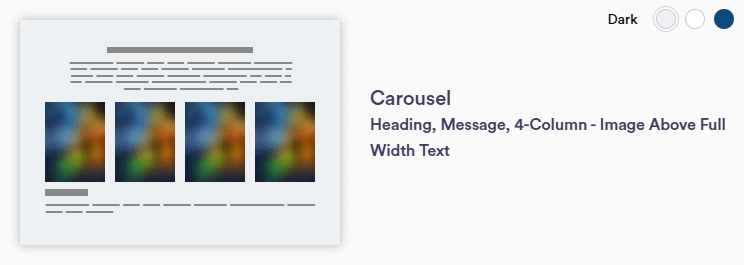
Carousel 2 section layout allows users to select a carousel image to display message content in an accordion style. This feature can display one entity without comprising the section layout and if adding more than 4 entities, the arrows will appear to cycle through. It is recommended to limit photos to 12 to improve page loading speed.
Continue reading to explore the required and optional elements for this section. Scroll down to view samples of this section in Dark, Light, and Primary (blue) color options available in TWM.
Required Elements
- Background color
- Justification (Left, Center, Right)
- Affects entire section
- Horizontal image - 727 x 520px
Optional
- Intro title and/or paragraph
- Carousel titles and/or paragraphs
- Accordion menu(s)
- CTA(s) - button or text
- Add per carousel paragraph
- Disclaimer
Section Capabilities
- Select a carousel image to display message/accordion content
- Can display one entity without compromising section layout
- Carousel function turns off with less than 4 entities (arrows disappear and image becomes centered - Similar to Multi-Item Content 3)
- Recommended limit of 12 photos to increase page loading speed
- Accordion menu is separate from carousel entity
- Can be re-used on same section / other carousels
- Up to four accordions can be displayed per entity
- Can add hyperlinks within paragraph text
Heading and Message with CTA Subtitle Entity
Left Justified Title and Message with CTA Entity
Headline 3 with CTA Message
Lorem ipsum dolor sit amet, consectetur adipiscing elit, sed do eiusmod tempor incididunt ut labore et dolore magna aliqua. Bolded text within a sentence.
Lorem ipsum dolor sit amet, consectetur adipiscing elit, sed do eiusmod tempor incididunt ut labore et dolore magna aliqua. Ut enim ad minim veniam, quis nostrud exercitation ullamco laboris nisi ut aliquip ex ea commodo consequat.
Carousel CTA 1This is an example of the disclaimer text. This is an optional element in most cases.
Heading and Message with CTA Subtitle
Center Justified Heading and Message with CTA Title
Heading and Message with CTA Message
Lorem ipsum dolor sit amet, consectetur adipiscing elit, sed do eiusmod tempor incididunt ut labore et dolore magna aliqua.Lorem ipsum dolor sit amet, consectetur adipiscing elit, sed do eiusmod tempor incididunt ut labore et dolore magna aliqua.
Lorem ipsum dolor sit amet, consectetur adipiscing elit, sed do eiusmod tempor incididunt ut labore et dolore magna aliqua. Ut enim ad minim veniam, quis nostrud exercitation ullamco laboris nisi ut aliquip ex ea commodo consequat.
Carousel CTA 1This is an example of the disclaimer text. This is an optional element in most cases.
Heading and Message with CTA Subtitle
Right Justified Heading and Message with CTA Title
Headline 3 in Message Area
Lorem ipsum dolor sit amet, consectetur adipiscing elit, sed do eiusmod tempor incididunt ut labore et dolore magna aliqua.
Lorem ipsum dolor sit amet, consectetur adipiscing elit, sed do eiusmod tempor incididunt ut labore et dolore magna aliqua. Ut enim ad minim veniam, quis nostrud exercitation ullamco laboris nisi ut aliquip ex ea commodo consequat.
Carousel CTA 1